Market data
Market data
The client application typically displays a list of tradable and launchable markets as follows:
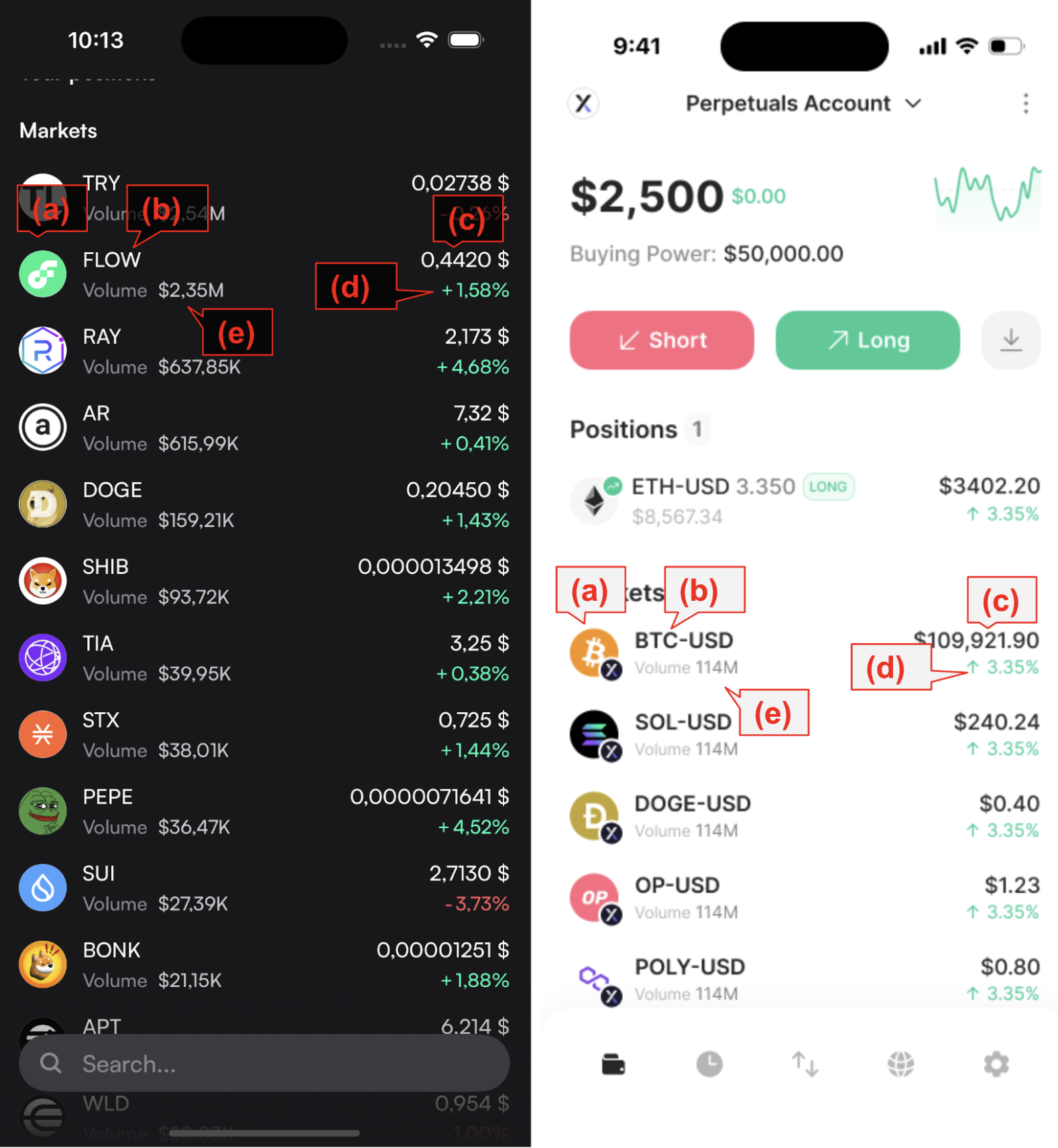
The market list can be obtained from the Indexer in two ways:
- REST API: Call
GET/perpetualMarkets. - WebSocket Subscription: Subscribe to the v4-markets channel (preferred, as it provides real-time updates).
Additionally, the client should call metadata-service/v1/info to retrieve static market data, such as market icons and other metadata.
Market Data Display Fields
(a)Market Icon: Extracted from the logo field in the metadata-service/v1/info response.
(b) Market Name: Derived from the name field in metadata-service/v1/info or directly from the market token name in the Indexer data.
(c) Oracle Price: Provided by the Indexer.
(d) Perp 24h Price Change (%): Available in the Indexer’s priceChange24H field.
(e) Perp Trade Volume: Extracted from the Indexer’s volume24H field.
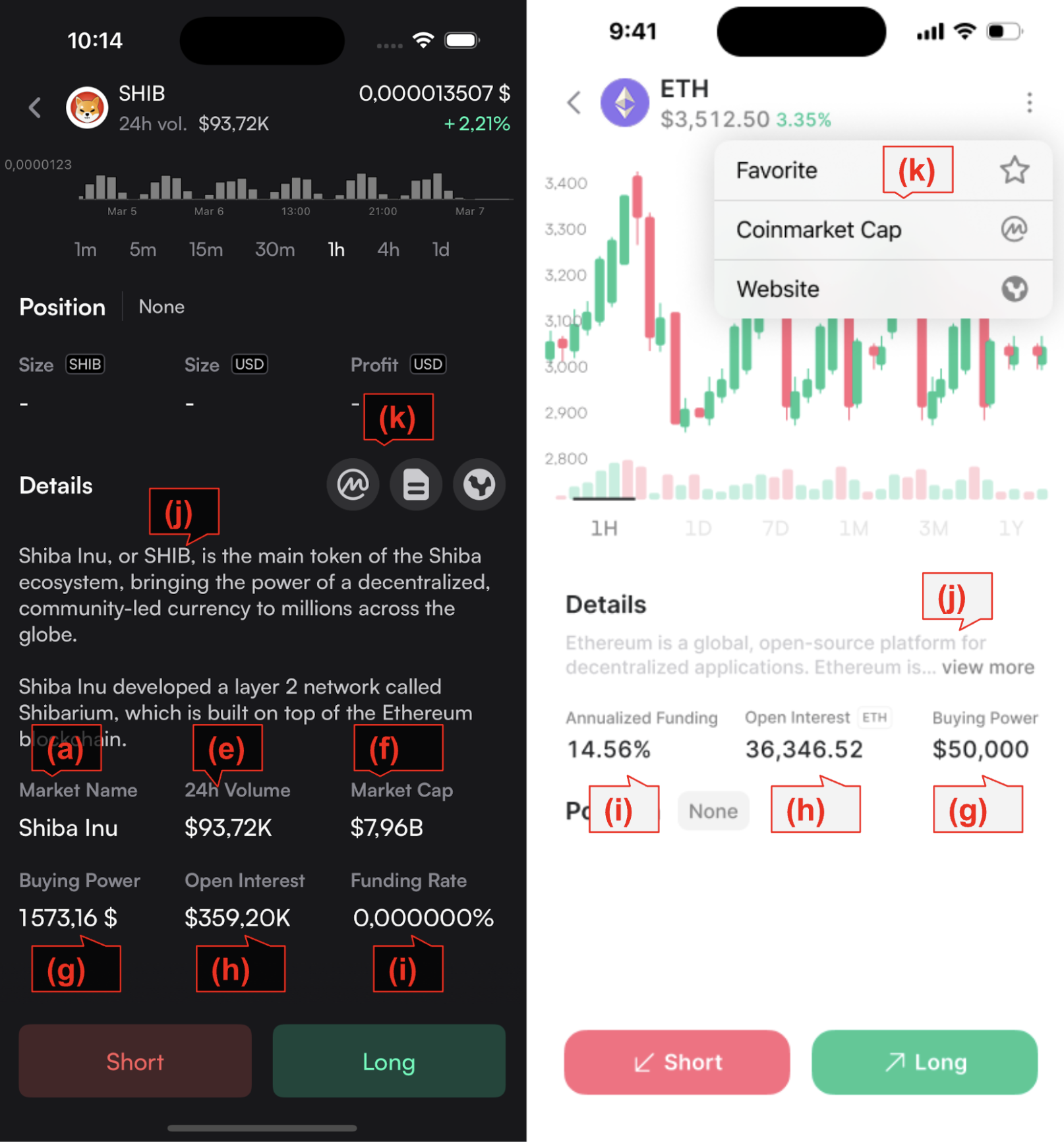
(f) Spot Market Cap: Found in the market_cap field of the metadata-service/v1/prices response.
(g) User’s Buying Power: Determined by applying collateral to the market (explained in the user-specific data section).
(h) Perp Open Interest: Retrieved from the Indexer’s openInterest field.
(i) Perp Funding Rate: Available in the Indexer’s nextFundingRate field.
(j) Market Descriptions: Sourced from the v4-localization repository, using the token ID as the key.
(k) Market Info Links: Obtained from the url field in metadata-service/v1/info.
Candles
The candles data come from the websocket v4-candles channel. To subscribe the channel, supply the following parameters:
{
“id”: “ETH-USD/1HOUR”
“batch”: “true
}Supply the id field with the market ID and the candle resolution. Parse CandleResponse to get the list of the candle values.
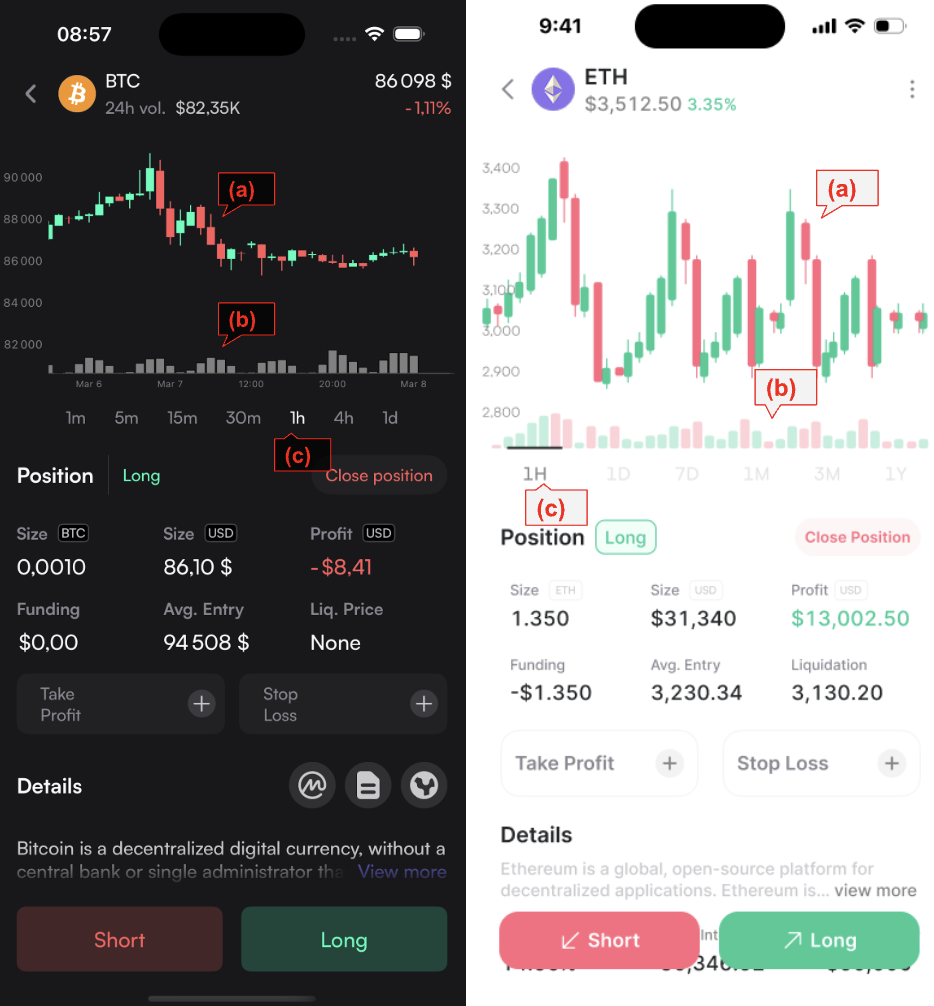
(a) Candlestick. Use the high, low, open and close field from each data point. See here for candles.
(b) Volume. Use the usdVolume field.
(c) Candle resolution candle resolution.
Orderbook
The orderbook data come from the websocket v4_orderbook channel, which gives a list of asks and bids:
"bids": [
{
"price": "28194",
"size": "4.764826096"
},
...
],
"asks": [
{
"price": "28294",
"size": "5.764826096"
},
...
],Order Book Displaying Fields
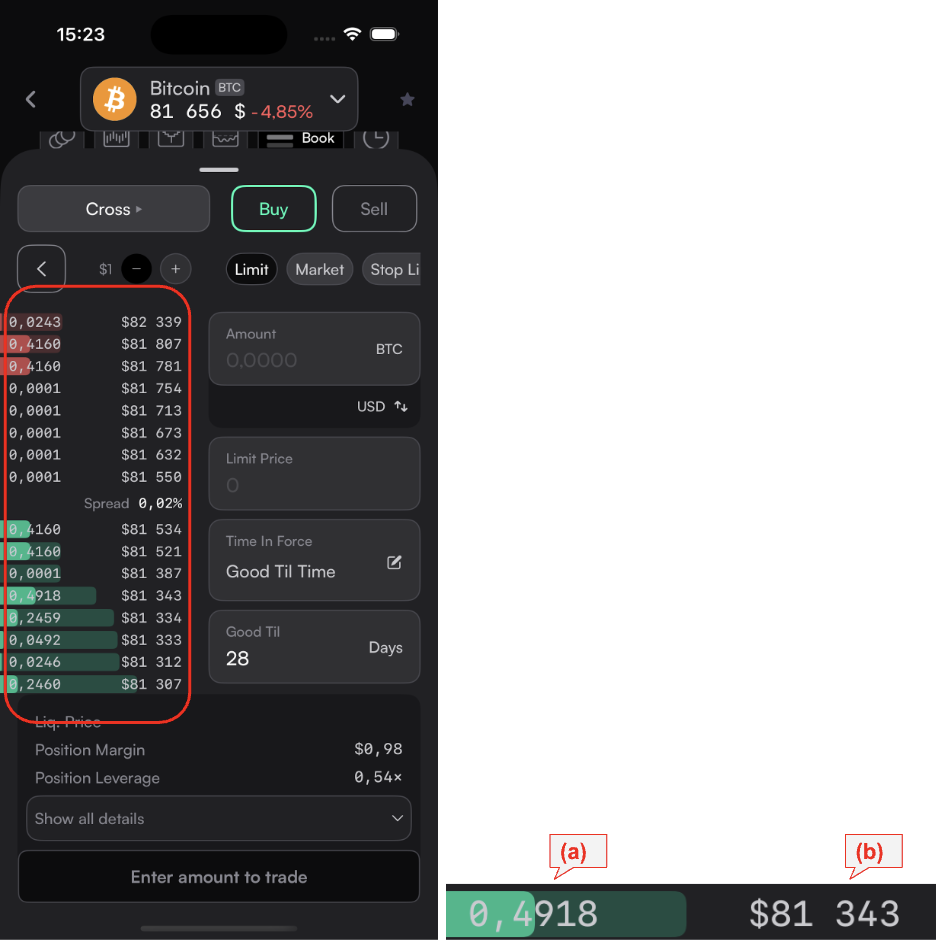
(a) Size of the order
(b) Price of the order
Order Book Color
Darker green bar: Represents the size of anindividual order.Light green bar: Represents thedepth at this price, calculated as thesum of all order sizesthat would have been taken before this order is crossed. See here for depth.
Handling WebSocket Updates
When the WebSocket channel sends an update, the client must update the order book in memory using the order price as the key.
Add/Update/Delete Entries
Add or updatean entry if the backend sends an order with a non-zero size.Removean entry if the backend sends an order withzero size(indicating the order was canceled or taken).
Remove Crossed Entries
- After updating the order book, the client should
remove any crossed entrieswhen the lowest ask price > highest bid price. - This ensures that only valid bid-ask pairs remain in the order book.